

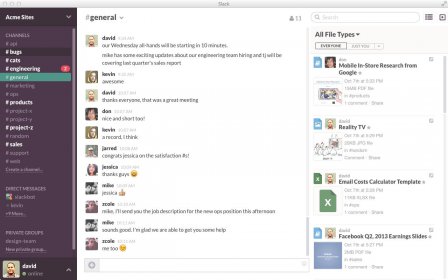
Slack is a popular instant messaging utility designed for Mac that helps you stay in touch with your work colleagues as well as share your documents with just a few clicks. This program enables every member of the created workspace to send files, share project plans or development info, brainstorm ideas, and so much more.
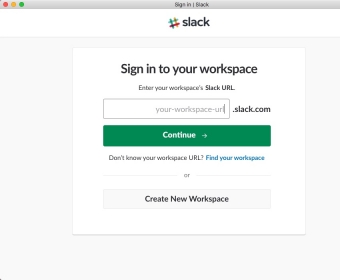
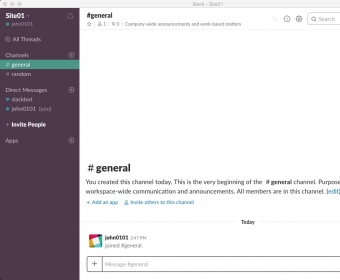
In order to create a workspace, you first need to log in to your Slack account. Afterwards, you can name your workspace and invite members directly from the tool's interface. You will be able to chat with your team members, share documents, tag colleagues in your messages to address them new project ideas, etc.
In addition, you have access to an effective search tool that helps you immediately find previous conversations and share documents.
My only problem with this program is the fact that you need to install third-party utilities to have access to certain features. For instance, Slack lacks a built-in calendar which might come in handy when planning meetings. However, you can install a third-party calendar utility into Slack and use it whenever you like. Simply click the "Apps" button from the left side of the interface and search the tool you need to install.
All in all, I think Slack is one of the best instant messaging and file sharing tools for Mac. It's packed with many useful advantages and really comes in handy when collaborating with multiple people on different projects. Also, it comes with a very reasonable price.




Free
Free
90 days of message history
Up to 10 apps
1:1 meetings
1:1 external messages
Pro
$4.38 per user / month
Unlimited message history
Unlimited app integrations
Group meetings
Group external messages
Basic AI
<ul>
<li>AI conversation summaries
Business+
$9.00 per user / month
Includes features of Pro plan, plus
Advanced AI
<ul>
<li>AI conversation summaries
AI workflow generation
AI search
AI daily recaps
AI file summaries
SAML-based single sign-on
SCIM user management
Enterprise+
Custom
Includes features of Business+ plan, plus
Enterprise-Grade AI
AI conversation summaries
AI workflow generation
Enterprise search
AI daily recaps
AI file summaries
Multiple SAML configurations
SCIM user management
EMM integration support
Native data loss prevention




Comments