

Generate movies from the on-screen activities of your Mac. Capture the desktop and configure the resolution, quality, and format of the created clips along with the names and lengths of the tracks. Switch between different recording modes to produce the required video content.
Ripcorder Video is a lightweight and unobtrusive app that captures screen activities and streaming media into a QuickTime movie. On Macs running Mountain Lion, users should switch the video quality from "High" to "Medium" or "720p HD" to avoid recording not being saved. This app can be used to create demo movies and capture online video streaming.
** 7/30/2012 ** If you run Mountain Lion on an older mac model, please be sure to switch the Ripcorder video quality from "High" to "Medium" or "720p HD". This should fix the issue where recording doesn't get saved.
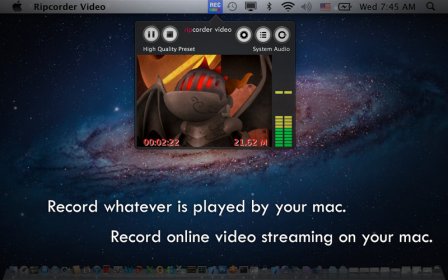
Ripcorder Video lets you create movies from your mac’s on-screen activities. Ripcorder Video will capture whatever is played on your mac’s display into a QuickTime movie. You can use Ripcorder Video to, for instance, create demo movies of mac’s screen activities, or capture online video streaming during playback.
The app is also light-weight and unobtrusive, so you can leave it recording at the background while running other tasks on the mac.
FEATURES:
* Quick access from mac’s status icons.
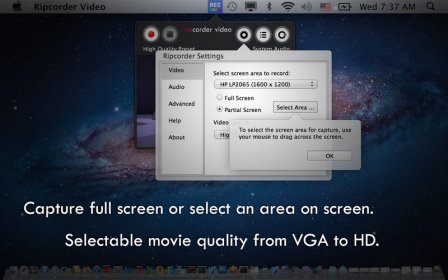
* Capture full screen or select an area on screen to capture.
* Multi-display support.
* Capture whatever is played by your mac, regardless of the video/stream format.
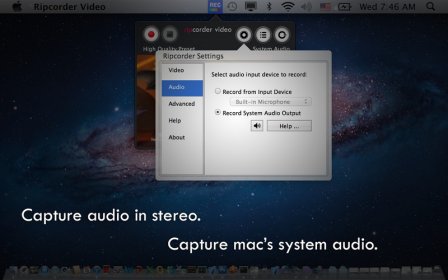
* Capture audio in stereo (either from microphone or system audio output).
* Selectable movie quality from VGA to HD.
* Option to highlight mouse clicking.
* Direct playback from the app.
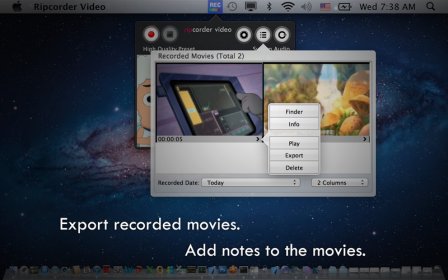
* Export the capture movie to playback or edit by other apps.
* Add written notes to captured movies.
* Unobtrusive and light-weight, designed to do background recording.
Please contact us at [email protected] if you have any questions.


Comments