

Figma
Free
3.8


35 votes
License type:
Freeware
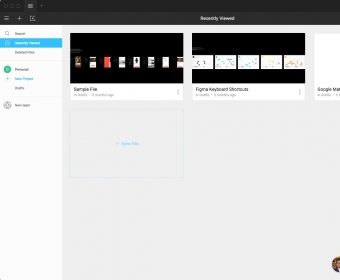
A cutting-edge interface design tool that enables real-time collaboration. Work together on design files simultaneously. The platform facilitates direct communication through Comments, allowing teams to stay in sync. Moreover, the app ensures data integrity by constantly saving work with Version History, allowing easy access to all edits with just one click.
Build momentum from the first click. Start in FigJam to map goals, user stories, and early ideas on a shared canvas. Capture research notes, drop in screenshots, and arrange sticky clusters into a prioritized roadmap. Use stamps and timers to run quick votes, then convert the winning sketches into actionable tasks. AI can turn messy notes into tidy summaries, write sample user flows from your bullet points, and clean up sticky titles so everyone sees the same structure. When the plan locks, move selected frames straight into your design file to keep context intact.
Shift to the design canvas and assemble screens fast. Create components for buttons, nav, and cards; wire them with variants and state logic. Apply Auto Layout for stretchy, responsive sections and use variables for themes, spacing, and breakpoints. Drop in content using repeat grids and hook up tokens for consistent colors and type. AI can draft placeholder hero images, rewrite microcopy to match your voice, and auto-rename layers to your team’s conventions. Invite teammates to co-edit, branch for experiments, and merge only what’s ready—no file ping‑pong. more

Starter
Free
For personal use
Professional
$12 per editor/month (billed annually)
For professional designers
Organization
$45 per editor/month (billed annually)
For teams collaborating across multiple projects
Enterprise
Contact sales
For organizations requiring advanced security and controls


Comments