Tabber is a hotkey-based window switcher and app launcher that helps you improve your workflow and focus on the windows and applications you need. With Tabber, you can quickly and easily switch between apps and windows with a shortcut or custom shortcut, allowing you to see the contents of windows in real-time. You can customize Tabber with a variety of settings to suit your preferences.
Switch windows and apps with a Hotkey and improve your experience and workflow.
Activate wanted windows and apps with Tabber Window Switcher which is a Command+Tab alternative to switch windows.
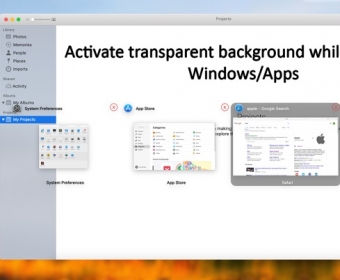
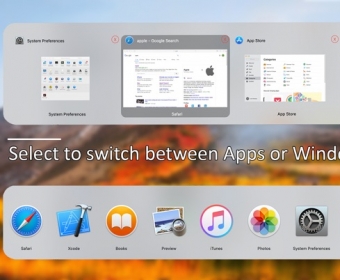
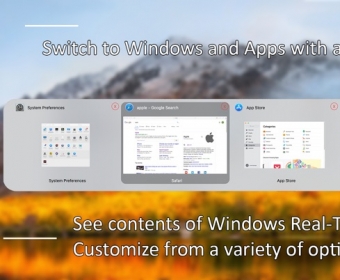
See contents of windows Real-Time when switching windows. Switch Apps and Windows with a shortcut or set a custom shortcut to switch windows or to switch apps. Improve your workflow and focus on your preferred windows / apps by easily and quickly switching to them.
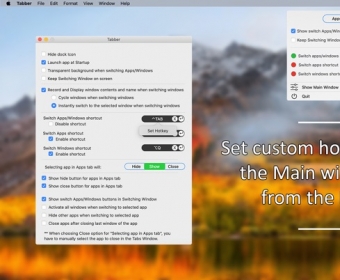
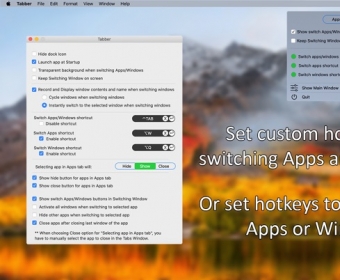
Select from a variety of settings and customize Tabber as you prefer. Quickly navigate through apps and windows with Tabber by using a Shortcut and improve your workflow and experience.
Features
• Switch visible windows and apps with a custom set Shortcut
• Switch apps with a custom set Shortcut
• Switch windows with a custom set Shortcut
• See the windows contents Real-Time in the window switcher
• Close windows by pressing the 'X' button for each window in the window switcher
• Close an app after closing last window of the app
• Select to switch Apps or Windows when pressing the 'Switch apps/windows shortcut' by pressing the Apps/Windows buttons in the Menu Window or by activating the option to see the Apps/Windows buttons in the window switcher
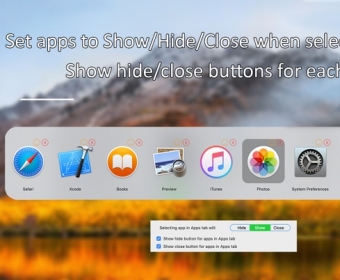
• Set behavior to show app, hide app or close app when switching to an Application
• See Hide app and Close app buttons for each application when switching apps
• Activate all windows when switching to selected app
• Hide other apps when switching to selected app
• Hide dock icon
• Launch app at startup


Comments