Arranged is an innovative Mac app that allows you to customize the layout of web content, save it for later, and pick up right where you left off. It features full keyboard shortcut support, two modes, and infinite possibilities.
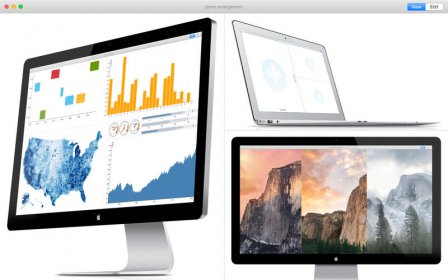
Arranged is a new app for the Mac that can split, position, and resize websites in a custom arrangement. Create any arrangement of web content you'd like, and save it for later. Features Pick Up Right Where You Left Off - Everything in an arrangement is saved for later with ?S. Open pages will be restored to that layout: Every URL, position, size, and scrollbar is saved. Keyboard Friendly - With full keyboard shortcut support, everything is at your fingertips: Split a page (?D), resize a page (?+ and ?-), and switch modes (?E) quickly. Two Modes, Infinite Possibilities In Edit Mode, set up your arrangement: Split any window vertically or horizontally, drag-and-drop local content or links, resize pages, and navigate web content. In View Mode, browse your arrangement: Distractions are out of the way. Content is front and center. Clicking on links will open them in your default web browser for further browsing. Works Great With Your Browser - Arranged complements your default web browser (such as Safari or Chrome). Create an arrangement to keep an eye on the best parts of favorite sites, build a custom status board, put feeds side-by-side, and much more.


Comments