

Use music notation software that allows for composing, playback, and editing of music and offers a seamless and intuitive experience, eliminating the need for complex menus. With it, writing and editing musical ideas becomes quick and efficient. It provides high-quality playback, featuring orchestral samples from the London Symphony Orchestra at Abbey Road Studios, guitar samples by Neil Zaza, bass samples by Victor Wooten, and drum samples by Roy "Futureman" Wooten. The samples have been meticulously recorded using top-notch techniques.
Notion allows you to share tasks, notes, documents and other data as a member of a team. In this regard, the tool serves as a collaboration workspace. It is great that it integrates with Slack for a smoother team workflow.
The tool requires authentication, and for this purpose, you can create your own email-based account or use your Google account instead. At this point, you can create a working space, which requires giving it a name. Optionally, you can set a URL, which you can share with other members of your team. Likewise, you should create a list of allowed domains, so that anyone with addresses at these domains can join your workspace. Fortunately, although these initial steps require an Internet connection, once the contents have been synchronized, the tool will continue to work even if you are offline.
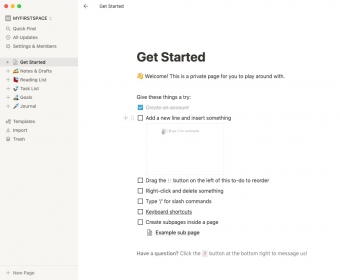
Its interface is quite straightforward. However, should you have any difficulties, it is good to know there is a brief tutorial available to pave the way. What is more, the app will continuously insist on helping by suggesting the use of templates and so on, which some users may find annoying. In this regard, it would be good if you had the chance to turn suggestions off.
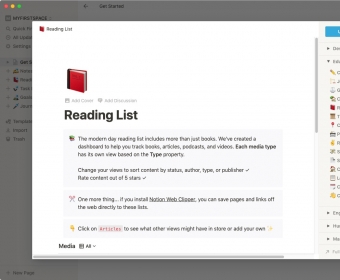
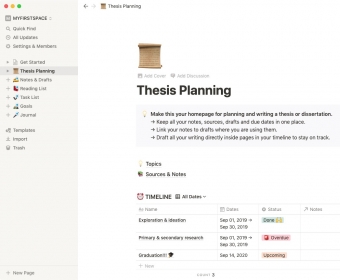
There are two kinds of ready-made elements that can certainly save you a lot of effort. One of them is templates, which are organized in such fields as Design, Education, Engineering, Human Resources and Marketing. Just to give you an idea: within the Education field, you can find multiple templates which may be useful for teachers and students alike. They include but are not limited to Thesis Planning, Class Notes, Grade Calculator, Reading List, Personal CRM, Syllabus, Lesson Plan and Course Schedule.
The other ready-made element is preset pages. In this respect, you can pick a format that best matches your purposes, including text documents, lists, reading lists, guides, meeting notes, media contents, web bookmarks, TeX equations, code snippets and discussions. Luckily, you can make whatever modifications you believe necessary to these pages. For instance, you can change the layout and add other objects, which you can simply drag and drop from the toolbox. It is also important to mention that these pages can be set as private or shared.
All in all, Notion is an excellent collaboration tool. It is particularly recommended for project management as it allows following up task execution. The product is available in various plans. There is a free plan that allows sharing content with others, but they would have limited editing possibilities. Other available plans are Personal, Team and Enterprise.





Free
$0 per member / month
For individuals to organize personal projects and life. Unlimited storage for individuals. Limited trial for teams.
Plus
$10 per member / month
For small teams and professionals to work together. Everything in Free. Unlimited collaborative blocks. Unlimited file uploads. Unlimited charts.
Business
$20 per member / month
For growing businesses to streamline teamwork. Everything in Plus. SAML SSO. Verify any page. Private teamspaces. Conditional forms logic. Domain verification. Premium integrations. Notion AI included. Enterprise search.
Enterprise
Custom pricing
For organizations to operate with scalability, control, and security. Everything in Business. User provisioning (SCIM). Advanced security & controls. Audit log. Customer success manager. Security & Compliance integrations (DLP, SIEM). Domain management. Advanced integrations. Notion AI included. Enterprise search. AI meeting notes. Research mode.




Comments