

Fast, intuitive navigation
Navigate your data easily and intuitively with Logic's fluid and fully animated mouse-driven interface. Drag the display with the mouse, zoom with the scroll wheel, even toss the display to find nearby events. You can also use the arrow keys — up, down, right and left.
Jump to next edge
When data is far apart, you can use the jump to next buttons to advance to the next time the signal changes.
Rich Sessions
Sessions let you save an entire setup — triggers, timing markers, data and view state — so you can pull it up later or send it to a friend. Data is compressed for manageable file sizes even with long captures. You can also save just the setup - so you can use it again later.
Painless trigger
We've worked hard to develop the absolute fastest way of setting up a basic trigger, and changing it on the fly. The trigger lets you specify conditions to wait for before starting data collection.
Animation
The Logic interface is fully animated and high frame-rate. And it's not just eye candy — it's important because it helps you maintain context when moving around large data sets.
Snapping timing markers
Timing markers snap to waveform edges — which is typically where you want them. Just drag the marker close to an edge to snap to it.
Helpful metadata
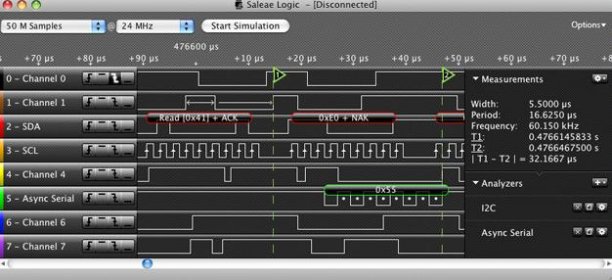
Quickly get timing information and other metadata just by moving your mouse over the graph. A number of parameters are available, including width, period, frequency and duty cycle. You can also display the error % of the measurements if you like. more


Comments