

Check out a collection of instruments for organizing and managing any open applications in your system. Work with the tools and options for issuing commands via the keyboard. Configure responses and automated or manual actions for simplified workflow organizing.
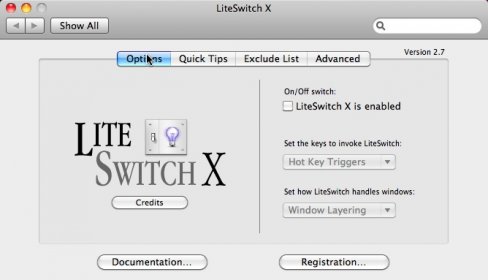
LiteSwitch X is a simple and effective application manager for Mac users that enables them to switch between applications quickly and easily. It has a clean and functional style, featuring an aquified transparent and resizeable window that is invoked with a configurable key-combination (default is Apple-Tab). Users can switch to any application, hide, quit, or force quit any application or drag-and-drop files onto any application. Windows users migrating to Mac can find LiteSwitch X a familiar and easy-to-use solution.
LiteSwitch X follows the tradition of LiteSwitch as a simple solution for managing open applications using the keyboard. Like its predecessor which will continue to be available, LiteSwitch X has a clean, simple and functional style that has become Proteron's hallmark. It features an aquified transparent, resizeable window which is invoked by a configurable key-combination (default is Apple-Tab). From the pop-up window the user can switch to any application, hide, quit, or force quit any application or drag-and-drop files onto any application. Windows users migrating to the Mac can feel more at home having the Alt-tab functionality returned to them, yet enjoy it in its full Mac OS X splendor.




Comments