Fluor 2.5

Free Quickly switch fn keys between Apple and regular functions, visible in the status bar.
4 
Rating
Your vote:
Latest version:
2.5.1 See all
Developer:
Download
Free  
Open source
Used by 24 people
Info updated on:

Fluor is a tool that enables users to quickly and easily switch the behavior of their keyboard's fn keys depending on the active application. It is displayed in the status bar, so users can instantly see which mode their keyboard is in. A specific icon indicates that the keyboard's fn keys act like Apple function keys, while a different icon means they act like regular function keys (F1, F2, F3, etc.).
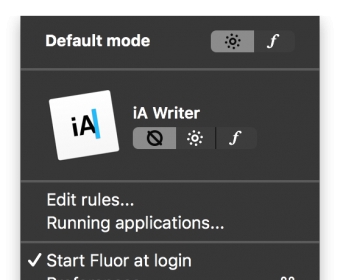
Fluor is a tool that allows you to automatically change the behavior of the keyboard's fn keys depending on the active application. Fluor lies in your status bar and makes you see instantaneously which mode your keyboard is on. A specific icon indicates that the keyboard's fn keys act like Apple function keys, and a different icon means that the keyboard's fn keys act like the good old functions keys (F1, F2, F3...).

Screenshot (1)

Comments (1)

User

Your vote:

A
Arjuna Nawarathne
rating
Very productive and cool app. A must have.

| Reply
A
Arjuna Nawarathne
Arjuna Nawarathne, Yet. the optimised app for Apples M series chips isn't available.

| Reply