

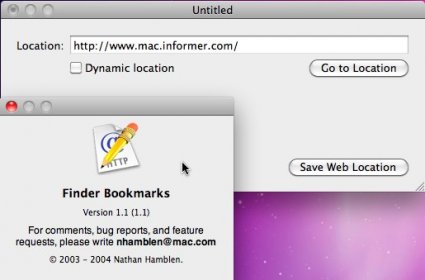
Finder Bookmarks is an editor for Web Location Files, which are browser-independent bookmarks that can be stored anywhere on Mac computers. This application allows users to edit locations, attach site icons to the Web Location's icon, import Safari bookmarks, and create Dynamic Locations for faster web searching and lookups.
Finder Bookmarks is an editor for Web Location Files, the browser-independent bookmarks that you can store anywhere on your Macintosh. This application can edit locations and attach site icons to the Web Location's icon. If you use Safari, Finder Bookmarks can import all of your Safari bookmarks and their icons at the same time. It also adds a powerful new kind of location file, Dynamic Locations, for faster web searching and lookups.
Although Web Location Files have been around since Mac OS 8, the Finder's support of them has always been spotty. In Mac OS X, there is no way to edit the URL of a location once it has been created. And although web browsers do a good job of opening and creating these files, they too have forgotten to let you edit them. This application fills the gap.
Main Features:
- Safari Bookmarks import - Finder Bookmarks can now import your Safari Bookmarks library.
- Harder working site icon retrieval - When looking for a Web site's icon, Finder Bookmarks checks for a link on the page itself.
- Smarter Dynamic Locations - They now remember their size, location, "Stay open" state, and the last ten search field entries.




Comments