

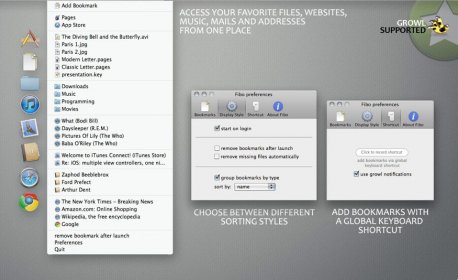
Tired of having to search through multiple programs to access frequently used files and folders? Fibo makes it easy to store bookmarks from different programs in one central place. Easily delete and edit bookmarks by double-clicking on the title in the Fibo Preferences.
Clicking your way through the finder to access a file or folder you frequently use can be tiring and cumbersome. Furthermore Bookmarks or frequently accessed files are distributed around all your favorite programs and not always fast to recover. Having all your bookmarks from different programs sorted in one central place can give your organized mind the much deserved rest. With Fibo you have instant access to your favorite websites, emails, vCards, songs and videos, files, folders and apps. In the Fibo Preferences you can delete and edit your bookmarks. By double-clicking on the title or the count-value of a bookmark you can change the title or the count-value of this bookmark-item.
Fibo will check if a bookmark to a file or folder sill exists every time the list gets reloaded. By activating the option “remove missing files automatically” Fibo will remove entries pointing to a file or folder that doesn’t exist anymore.


Comments