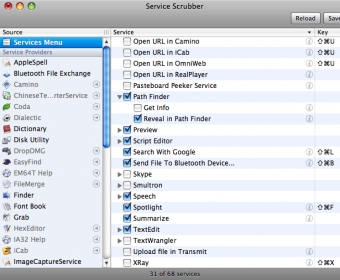
Access the service menu in Mac OS X and optimize its interface and usability. Remove, replace, relocate or add specific service icons for quickly accessing and browsing them. Perform actions such as URL opening, task launch and editing over any active processes and applications.
Mac OS X has a useful feature called the services menu, which allows users to perform various tasks on the current selection regardless of the application they are using. This includes tasks such as opening URLs in the browser, sending snippets via email, and having text read aloud. Unfortunately, many applications add their own entries to the services menu, making it increasingly difficult to use.
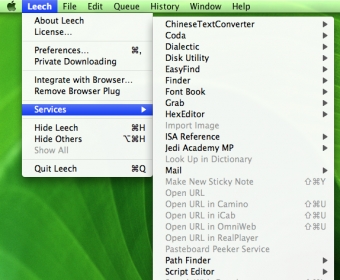
One of the most underestimated features of Mac OS X is the services menu, which lets you perform actions on the current selection, regardless of the application you're currently working in. These actions include opening a URL in your browser, sending a snippet via mail, having text read to you, and so forth.
Unfortunately, all kinds of applications add their own entries to the services menu, making that menu grow incessantly. For most users, it has in fact grown beyond the point of usability a long time ago. And we haven't even addressed keyboard shortcut issues here.
So wouldn't the services menu be much more useful if it weren't overcrowded by services you never even thought of using? Shouldn't there be a way to edit that menu? Enter Service Scrubber. With Service Scrubber, you can:
Restructure the services menu
Change service keyboard shortcuts
Disable and re-enable services
Once your services menu has been scrubbed, you'll be surprised how useful it actually is.
Comments