Final Screen Capture 2.2

User-friendly screen snapshot & record software with 3 snapshot modes & ability to select any crop rect.
4.1 
Rating
Your vote:
Latest version:
2.2 See all
Developer:
Huafang liu
Download
Shareware
Used by 1 person
Info updated on:

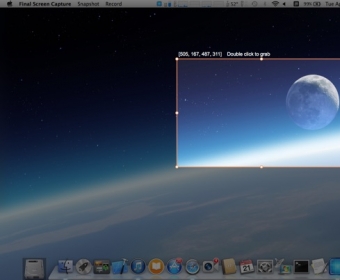
Final Screen Capture is an easy-to-use screen capture and screen recording software. It offers three capture modes: Full Screen, Select Area, and Select Window. Additionally, users can hide or show the desktop menu bar and floating bar, copy the content of selected area to the clipboard, and choose any desktop background image. Screen record features include selecting any crop rect on the computer screen, capturing mouse click and cursor, and supporting all kinds of audio input devices such as built-in, microphone, and USB audio input.
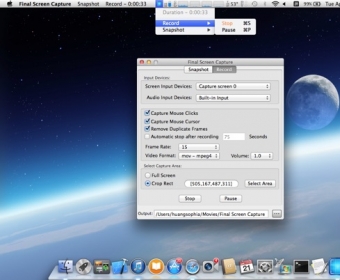
Final Screen Capture is a simple and user-friendly screen snapshot and screen record software.
* Screen Snapshot
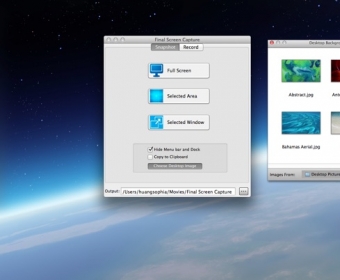
- Three snapshot modes : Full Screen, Select Area, Select Window.
- Hide or show the desktop menu bar and floating bar
- Copy the content of selected area to the clipboard
- Choose any desktop background image
* Screen Record
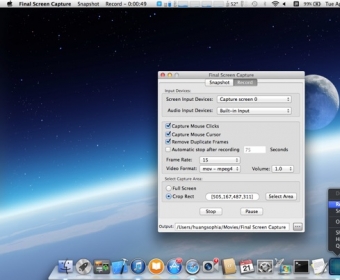
- Select any crop rect on your computer screen
- Support all kinds of audio input devices
- Capture the mouse click
- Capture the mouse cursor
- Support all kinds of audio input devices, such as Built-in、Microphone、Usb、Serial audio input device, etc.
- High recording quality.
- Enlarge audio output volume.
- Set the recording time
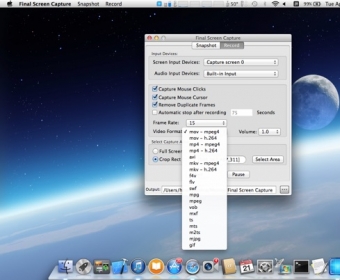
- Set the output video frame rate and encoding format (such as mov, mp4, avi, mkv, f4v, flv, swf, mpg, mpeg, vob, mxf, ts, mts, m2ts, mjpg, gif).
* Support Hot Keys Operation
* 100% Pure Software
Final Screen Capture will not do anything without your permission. It won’t automatically send files to iTunes, collecting your personal data or installing any bundled software.
Feedback:
Any suggestion will be appreciated, support email: [email protected] or [email protected]
(The app can record sound from various audio input devices, including the microphone input / the computer sound card/ Line-in audio devices / USB audio device / serial port audio devices, etc., but the following three conditions must be met:
1. Your computer must support these audio hardware devices.
2. Their device driver softwares must be installed
3. You must modify your computer's system settings: System Preferences... ---> Sound ---> Output ---> Select a device for sound output)

Screenshots (5)

Comments

4.1
Rating
73 votes
5 stars
28
4 stars
22
3 stars
23
2 stars
0
1 stars
0
User

Your vote: